
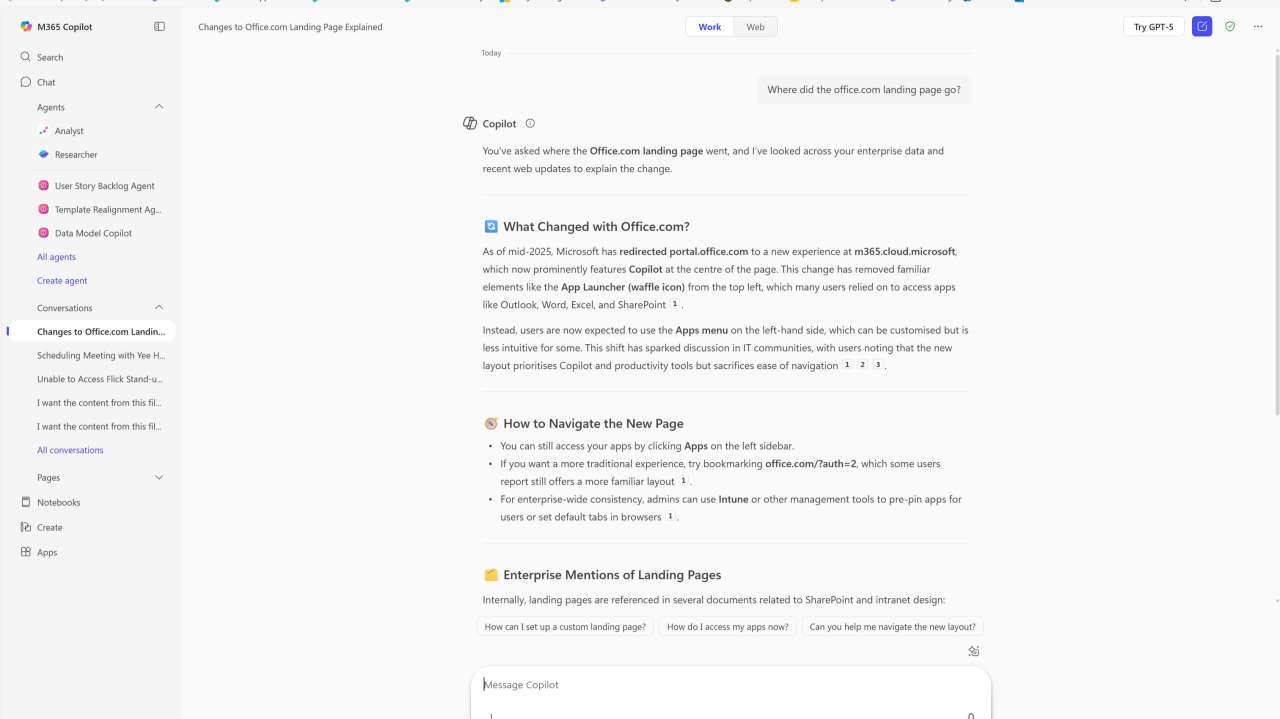
A New Era of AI-Powered Productivity
Microsoft has reimagined the Office.com experience for business and enterprise customers. Rather than landing on apps and recent documents, users are now greeted with the Copilot Chat interface, a free, AI-driven chat service included as part of many Microsoft 365 subscriptions.
This shift marks a pivotal moment, Copilot Chat isn’t just another feature, it’s the new front door to work productivity, powered by GPT-4o, and delivered with enterprise data protection by default.
Licensing and What’s Included
- Free with most Microsoft 365 business subscriptions, Copilot Chat offers things like web-grounded AI chat powered by GPT-4o, suggested prompts, chat summaries, idea generation, and formatting support.
- With the Copilot add-on license (Microsoft 365 Copilot at approximately $30 per user per month) users unlock work-grounded chat that can pull from your files, emails, meetings, and chats, in-app integration within Word, Excel, PowerPoint, Teams, Outlook, plus advanced reasoning and Copilot Analytics.
Tackling Shadow IT and ChatGPT
Many employees are already using ChatGPT or other AI tools outside of IT scope, posing risks to data compliance and security. The good news is Copilot Chat helps reduce shadow IT by offering a secure, enterprise-governed AI experience that keeps data within Microsoft’s trusted ecosystem.
Yet, it’s not a “set-and-forget” solution, admins must now proactively govern it.
Governance, Why Microsoft Admins Must Get In Front of It
Copilot Chat introduces powerful capabilities, but also new governance scenarios to manage:
1️⃣ Landing Page Shift
- Users may be redirected from office.com to the Copilot Chat UI by default.
- If preferred, admins can unpin Copilot Chat, control web access, or reconfigure navigation in the Microsoft 365 admin center.
2️⃣ Agent Risks and Licensing Costs
- Users with access to Copilot Studio can build and publish AI agents.
- If non-premium users access these agents, that usage will not fall under per-user Copilot licensing, instead it triggers pay-as-you-go billing via Copilot Studio consumption pricing.
- Admins must limit who can create or access agents using security group controls in the Power Platform admin center.
3️⃣ Visibility and Control
- In the admin center, you can specify who can install or use Copilot Chat via Integrated Apps settings.
- You can also adjust pinning visibility in Teams, Outlook, and the Microsoft 365 apps.
Why This Matters
Without governance:
- Your organization risks unexpected billing if users access agents via Copilot Studio.
- Sensitive data could be inadvertently exposed or used beyond intended limits.
- ROI becomes unpredictable without oversight via Copilot Analytics.
By governing access:
- You ensure Copilot Chat remains a safe, efficient, and cost-controlled tool.
- Users get secure access to AI right from the browser for tasks like formatting assistance, ideation, and drafting or rewriting, just like ChatGPT but within Microsoft’s protected environment.
Next for Copilot Admins, What to Do Now
1️⃣ Explore the Admin Center
- Use the Copilot Control System to pin or unpin, manage access, and configure policies.
- Control who can build or access agents via security groups.
2️⃣ Educate and Roll Out
- Announce the shift to Copilot Chat to your team.
- Highlight secure usage, what’s available for free versus license-required.
3️⃣ Monitor Usage and Costs
- Set up Copilot Analytics to track feature adoption and agent consumption.
- Use usage data to refine policies and communication.
Pro Tip, Learn via Video
Here’s a helpful walkthrough from Microsoft showing governance controls in the admin center::
Copilot admin center governance overview
Conclusion
Copilot Chat now replaces the Office.com landing page, offering a free, secure, AI-powered experience for most business users. But with power comes responsibility. It’s time for organizations to seize governance control, balancing user productivity, data safety, and cost-efficiency.
When done right, Copilot Chat becomes not only a safer alternative to chat services like ChatGPT, but a strategic platform for AI at work. Let’s help your teams use it wisely, securely, and effectively.
What now?
- Admins: Review your Copilot settings today.
- Leaders: Align Copilot Chat policies with your AI governance strategy.
- Teams: Explore secure AI assistance, within Microsoft’s trusted ecosystem.
Leave a Reply