
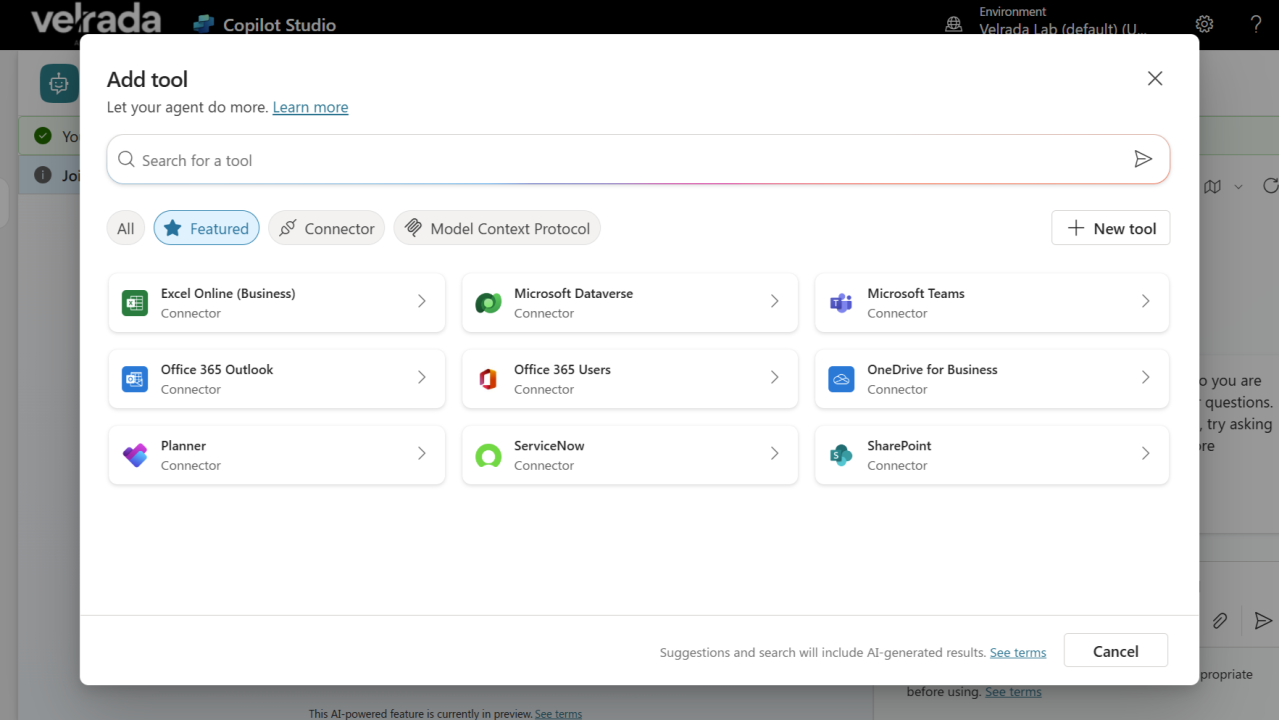
Most agent scenarios I hear clients discussing during planning workshops start with chat. Generative copilots for policy Q&A. Retrieval agents that summarise information. And while custom copilots can integrate with Power Automate or use agent flows, the simplest and most direct way to extend Copilot Studio agents is through tools. These let agents move beyond conversation into taking real action, sending emails, generating files, updating records, and that’s where the real business value comes in. Here’s how these tool capabilities deliver value, with concrete examples, and what to watch out for.
What Are These Tools, Exactly?
According to Microsoft, tools in Copilot Studio are building blocks that enable agents to interact with external systems. Some of their key features:
- Use prebuilt connectors (like Office 365 Outlook, Teams, others) and custom connectors to hook into internal or third-party APIs.
- Define tools via REST APIs or Prompt tools, or build multi-step agent flows.
- Use Computer use (preview) tools to automate interacting with legacy GUIs or desktop/web apps.
- Leverage generative orchestration so agents decide dynamically, based on user intent, when to invoke these tools.
- Authentication modes ensure tools run in the right security context—either using the user’s credentials, or using author credentials if appropriate.
Why Businesses Should Care: The Value Drivers
Here are the kinds of business value these tool-capabilities enable, and why they matter.

Examples of How This Works in Practice
To make these value drivers more concrete, here are some illustrative use cases:
1️⃣Sending Emails Automatically (Office 365 Outlook Connector)
- Suppose a customer support agent in Slack or Teams identifies a request that requires follow-up via email. The custom Copilot agent, using the Outlook connector tool, composes and sends the email automatically with the right template, possibly even attaching relevant documents based on context.
- Business benefit: Less manual switching; faster responses; more consistent brand voice.
2️⃣Generating Files or Reports
- An agent could pull data from Dataverse or other data sources, then generate a summary file (e.g. Excel, PDF) with charts and trends, and send it via email or place it in SharePoint.
- Business benefit: Regular reports can be automated; decision makers get what they need without waiting for manual prep.
3️⃣Integrating with Legacy Systems via GUI Automation
- For systems without APIs, the “computer use (preview)” tools let agents interact via GUI elements: filling forms, clicking buttons, etc. For example, automatically entering data into a legacy ERP or updating status in an older web portal.
- Business benefit: Avoids costly system overhaul; bridges system gaps; improves data flow across the organization.
4️⃣Conversational Workflows
- Using agent flows: when a user asks “What’s our weekly sales summary?” the agent could (a) extract the timeframe, (b) call a REST API to fetch data, (c) generate a report, (d) send it via email or Teams channel, and (e) ask a follow-up (“Do you want me to schedule this weekly?”).
- Business benefit: Users interact conversationally; the full chain of actions is triggered without manual orchestration.
Potential Challenges & Best Practices
While the capabilities are powerful, successful implementation requires attention to a few things.

Strategic Takeaways for Organisations
- Start small, think big: Begin with a high-impact but manageable use case (e.g. automate sending standard emails) to build confidence and surface learnings; then scale to more complex integrations.
- Cross-functional alignment: Collaboration between IT, security/compliance, business units, and end users ensures tools are useful, usable, and safe.
- Maintainability: Tools need to be versioned, monitored, and updated as underlying APIs change. Ownership and governance need to be established.
- Measure value: Track metrics like time saved, number of manual actions eliminated, error rate reductions, user satisfaction. Quantify ROI to justify further investment.
Conclusion
The “tools” ecosystem in Microsoft Copilot Studio are just like Power Automate Actions and connectors.
They transforms agents from conversational helpers into action-oriented extensions of business systems. By enabling automation, integrating disparate systems, and letting the agent take real actions (sending emails, generating files, updating records), organizations can unlock efficiency, consistency, and better experiences.
As with any powerful capability, thoughtful design, security, and governance are essential. But for those who do this well, the business upside is considerable, and the competitive advantage real.
Leave a Reply