
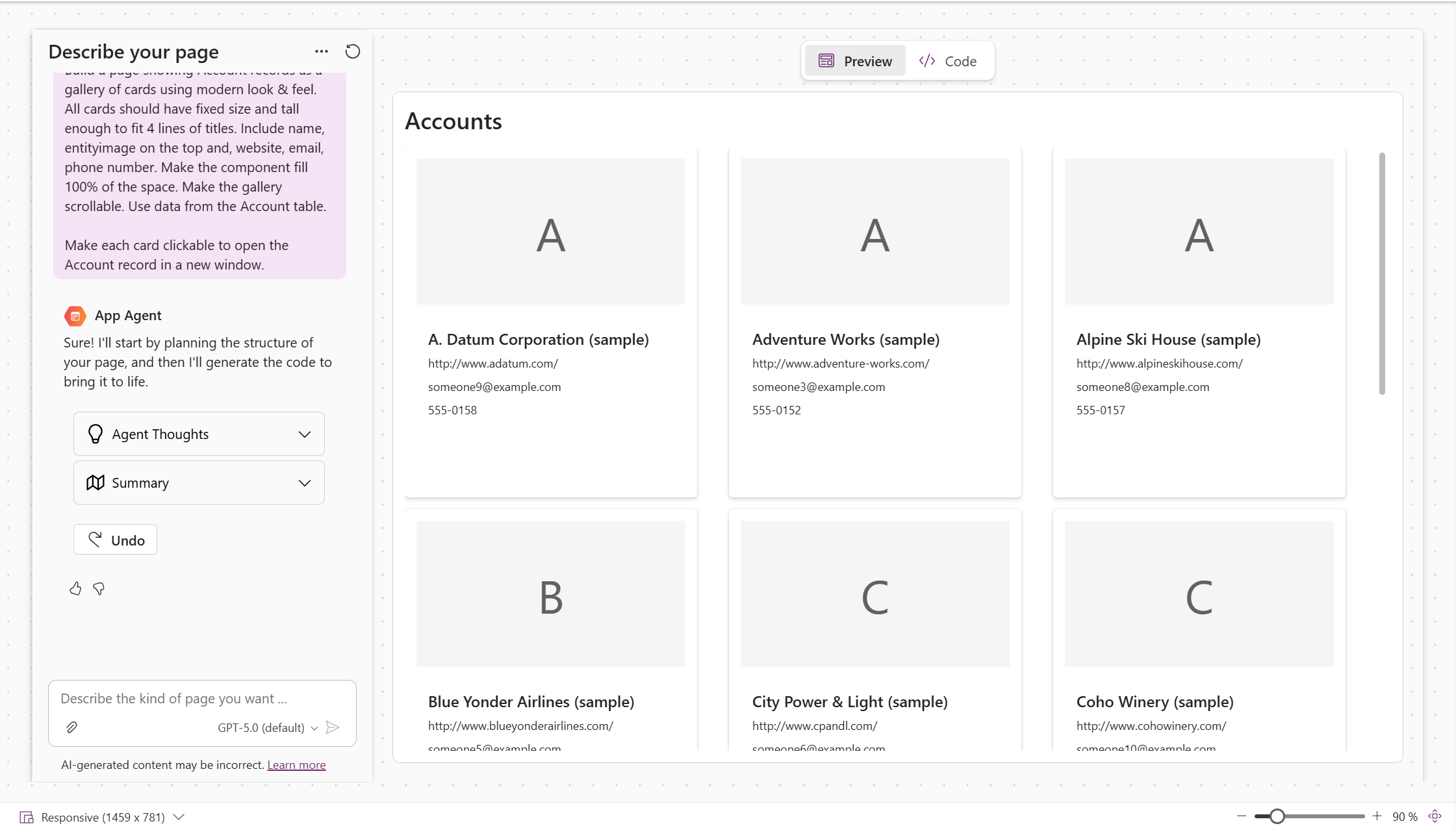
There’s a quiet shift happening in how we design applications.
Not just faster builds. Not just better tools.
But a move away from fixed, pre-designed pages… toward experiences that are generated at runtime.
That’s where generative pages come in.
What are Generative Pages (really)?
Generative pages use AI to create and shape the UI and content dynamically, based on:
- User context
- Data
- Intent
Instead of building:
- Every screen
- Every layout
- Every variation
You define what the experience should achieve… and the platform generates how it’s presented.
This is a shift from:
“Design every page upfront” to “Design the logic of the experience, and let the UI adapt”
The New UI Possibilities This Unlocks
This is where it gets interesting, not from a feature perspective, but from a design mindset.
1. From static screens → adaptive experiences
Traditional apps:
- Fixed layouts
- Predefined navigation
- Same structure for every user
Generative pages:
- Adjust based on user role, behaviour, or needs
- Surface the right information instead of all information
- Reduce noise and cognitive load
You’re no longer designing one experience, you’re enabling many contextual ones.
2. From over-designed → intent-driven
Let’s be honest, most enterprise apps are overbuilt.
We try to anticipate:
- Every scenario
- Every user path
- Every edge case
With generative pages, the focus shifts to:
- What does the user need right now?
- What outcome are they trying to achieve?
And the UI is generated around that.
Less time spent on layout decisions. More time spent on experience design and outcomes.
3. From “find the data” → “show me what matters”
One of the biggest UX problems in business apps is navigation.
Users spend time:
- Clicking through menus
- Searching for records
- Filtering views
Generative pages flip that.
They can:
- Summarise relevant data
- Highlight key insights
- Present information in a way that feels closer to a conversation than a dashboard
This is where AI starts to feel less like a feature, and more like an assistant embedded in the UI.
4. From one-size-fits-all → personalised by default
Generative pages can adapt based on:
- Language
- Region
- Formatting preferences
- Even reading direction
So instead of designing:
- Multiple regional versions
- Multiple language variants
You design once, and the experience adjusts.
That’s not just efficient, it’s finally aligned with how global organisations actually operate.
Why This Is Valuable (Beyond the Hype)
There’s a lot of noise around AI-generated experiences, but the value here is practical:
Faster delivery (without cutting corners)
You’re not skipping design, you’re shifting where the effort goes.
Better user adoption
Because users see:
- Less clutter
- More relevance
- Faster paths to outcomes
More scalable design
Instead of maintaining:
- Dozens of pages
- Regional variations
- Complex navigation structures
You maintain logic and intent.
How to Start Using Generative Pages (Without Overcomplicating It)
If you’re a maker or architect, the mistake is trying to apply this everywhere.
Start smaller and more intentional.
1. Pick the right scenarios
Generative pages work best where:
- Information is dense
- User needs vary
- Context matters
Think:
- Case management
- Customer summaries
- Task-driven workflows
2. Be explicit about inputs
AI can only generate useful experiences if you define:
- What data it can access
- What context matters
- What the user is trying to do
The quality of the output depends on the clarity of the intent.
3. Design for variation, not perfection
You’re not designing a pixel-perfect screen anymore.
You’re designing:
- Rules
- Boundaries
- Expected behaviours
And then testing how the experience adapts.
4. Don’t ignore localisation
If your users are global, you need to think about:
- Language preferences
- Date/number formats
- Regional expectations
Generative pages support this, but only if you design for it.
A Quick Note for Australian Teams
For a long time, this capability was limited to US environments.
Which meant many teams heard about generative pages… but couldn’t actually use them in real solutions.
That’s now changed.
Generative pages are available across supported global regions, including Australia, removing a pretty major barrier for local teams wanting to experiment with AI-driven UI.
Final Thought
Generative pages aren’t just another feature to learn.
They challenge a core assumption we’ve had for years:
That applications need to be fully designed upfront.
Instead, we’re moving toward:
- Experiences that adapt
- Interfaces that respond
- And apps that feel a little less like software… and a little more like assistance
The opportunity isn’t just to build faster.
It’s to build differently.
Read Microsoft Power Platform – Release Plans
and Principles for AI-Generated Content | Microsoft Learn
Leave a Reply