
- Microsoft link: Create and edit canvas apps with AI code generation tools – Power Apps | Microsoft Learn
- Github: power-platform-skills/plugins/canvas-apps at main · microsoft/power-platform-skills · GitHub
A significant shift has just landed for Power Apps Canvas development and it’s not just another feature update.
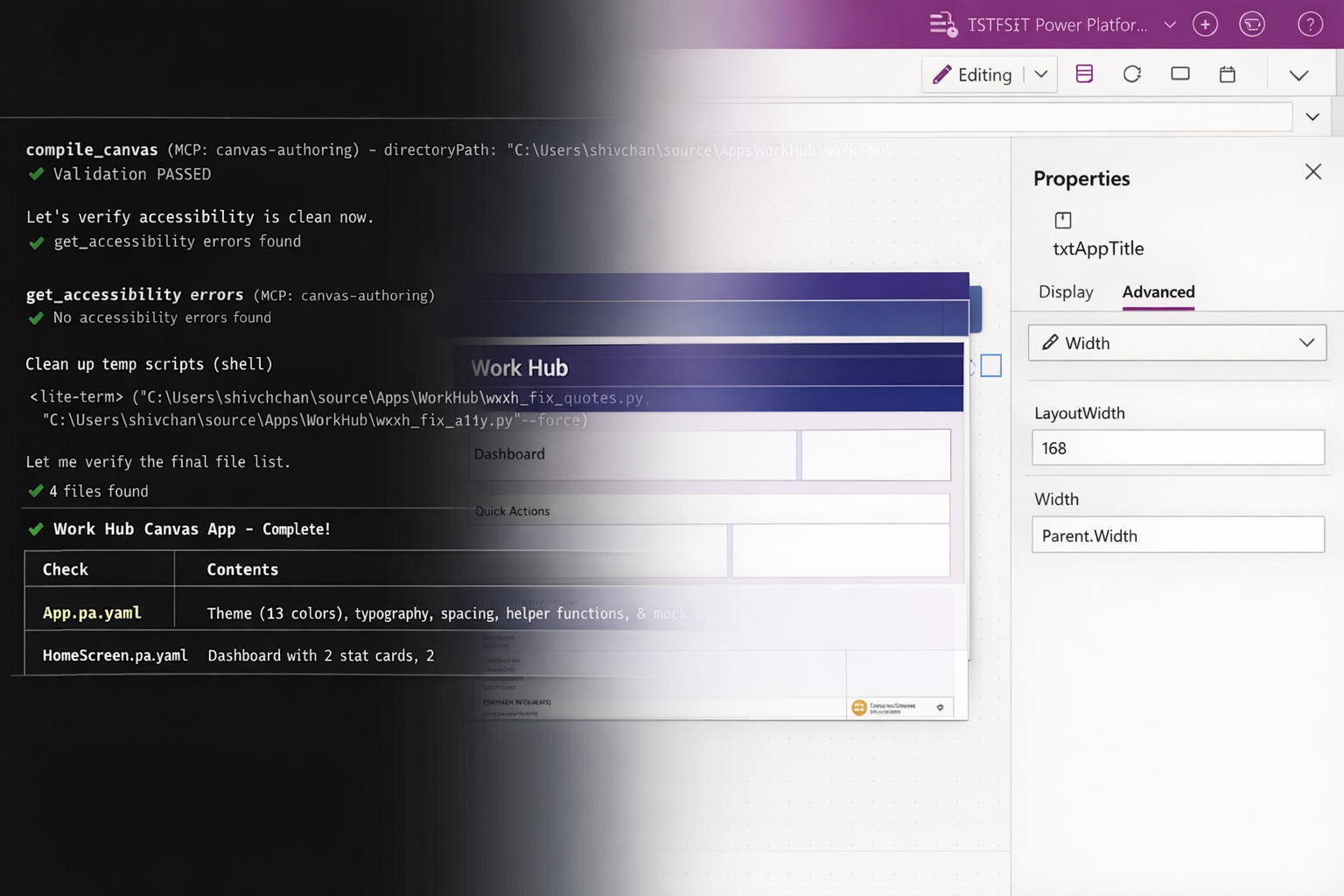
Microsoft has introduced the Canvas Apps Authoring MCP plugin, enabling coding agents like GitHub Copilot and Claude to actively participate in building canvas apps alongside makers and developers.
At face value, this sounds like “AI helps you build apps faster.” But that undersells what’s actually changing.
This is about redefining how solutions get designed, built, and iterated.
The Shift: From Manual Build to Guided Composition
Traditionally, building a canvas app (even for experienced makers) has been a hands-on process:
- Designing screens manually
- Adding controls one by one
- Writing formulas
- Wiring up data sources
- Iterating through trial and error
The MCP plugin introduces a different model.
You describe the app in plain language. The agent generates:
- Screens and layouts
- Controls and UI structure
- Power Fx formulas
- Data connections
- Styling and structure
And importantly, it does this within the constraints of the Power Apps platform.
That last part matters more than it seems.
What this actually looks like in practice
Instead of starting with a blank canvas, the process begins with a simple prompt.
A maker or developer describes the app in plain language, something like:
“Create an inspection app with a checklist, photo capture, and submission workflow connected to Dataverse.”
From there, the agent generates a working foundation:
- Screens are created with a logical layout
- Controls are placed and configured
- Data connections are established
- Core formulas are written
- Basic styling is applied
Within minutes, there’s a functional app, not just a concept.
From that point, the role shifts from building to refining:
- Adjusting UX and layout
- Enhancing logic and validations
- Integrating with broader systems
- Applying governance and standards
The key difference is this:
The starting point is no longer a blank screen, it’s a working solution that can be shaped, challenged, and evolved immediately.
Why This Matters for Governance (Not Just Speed)
One of the biggest blockers to adopting AI-generated solutions in enterprise environments is unpredictability.
- Will the output follow standards?
- Will it break ALM processes?
- Will developers have to rewrite everything anyway?
This plugin addresses that concern directly.
Because it operates within Power Apps’ defined control framework, the output is:
- Structured
- Recognisable
- Governable
- Able to be picked up and extended by development teams
This isn’t “AI generating random code.” This is AI generating platform-native solutions.
That distinction is what makes it viable for real projects, not just demos.
What Changes for Delivery Teams
1. The Design Phase Gets Shorter (and More Concrete)
Instead of spending days translating requirements into wireframes or early prototypes, teams can now:
- Describe the use case
- Generate a working draft app
- Iterate live with stakeholders
This shifts conversations from:
“What do you want?”
to:
“Is this what you meant?”
That’s a massive reduction in ambiguity, and rework.
2. Developers Move Up the Value Chain
This doesn’t remove the need for experienced Power Platform developers.
It changes where they spend their time.
Less time on:
- Initial UI scaffolding
- Repetitive control setup
- Basic formula wiring
More time on:
- Architecture decisions
- Data modelling
- Integration patterns
- Performance and scalability
- Governance and ALM
In other words, less building from scratch, more shaping and refining.
3. Business Users Become True Co-Creators
Canvas apps have always been positioned as a low-code tool for business users.
In reality, complexity often pulls things back into IT.
This capability shifts that balance again.
Business users can now:
- Express intent in plain language
- Generate a functional starting point
- Collaborate with IT from something tangible
It reduces the “blank canvas problem”, which is often where adoption stalls.
4. Iteration Cycles Collapse
One of the hidden costs in Power Platform projects is iteration lag:
- Build → Review → Feedback → Rebuild
With agent-assisted authoring:
- Changes can be described and applied rapidly
- Multiple variations can be tested quickly
- Feedback loops tighten dramatically
This is where the real ROI shows up, not just in initial build time, but in ongoing evolution.
Where This Will Have the Biggest Impact
Not every scenario will benefit equally.
Expect the biggest gains in:
- Internal business apps
- Process-driven forms and workflows
- Rapid prototyping and MVP delivery
- Scenarios with evolving or unclear requirements
More complex, highly customised apps will still require strong architectural oversight, but even there, this accelerates the starting point.
The Bigger Picture: A New Development Pattern
This isn’t just a productivity tool.
It’s the early shape of a new pattern:
Describe → Generate → Refine → Govern
Instead of: Design → Build → Fix → Repeat
Teams that recognise this shift early will change how they:
- Run design workshops
- Engage stakeholders
- Structure delivery phases
- Define roles between business and IT
The Bottom Line
The Canvas Apps MCP plugin doesn’t replace developers. It doesn’t remove the need for governance. And it doesn’t magically solve poor requirements.
What it does is remove friction.
Friction in getting started. Friction in translating ideas. Friction in iterating toward the right solution.
And in most projects, that friction is where the real cost sits.
The teams that adapt their approach (not just adopt the tool) will see the biggest gains.
Leave a Reply